Change My Address
Your address can be changed in Workday, the campus student information system. To ensure that your financial
statements are properly mailed, you must update your Home Contact Information in
Workday prior to the start of the term if any of your addresses have changed.
If your address has changed, you may update the new address in Workday. To ensure that your 1098T statements
are properly mailed, you must update your Home Contact Information in Workday prior to the start of the term.
- Go to myapps.uark.edu and log in to Workday using your University of Arkansas credentials.
- Click on the Profile icon in the top right corner and select View Profile.

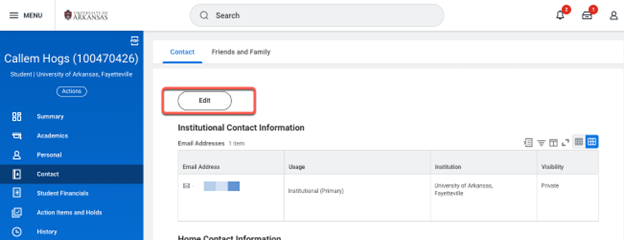
- Click on the Contacts tab and find the Edit button above your contact information.
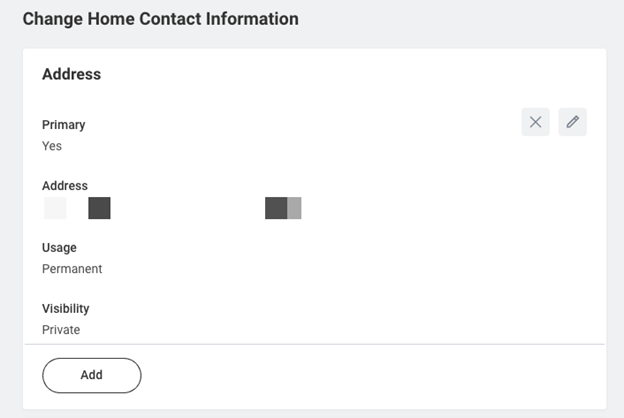
- Click on the pencil icon and edit your address information. Click the checkmark icon when done.

If you are not a current student and need to update your address, contact the Treasurer's Office at 479-575-5651.